






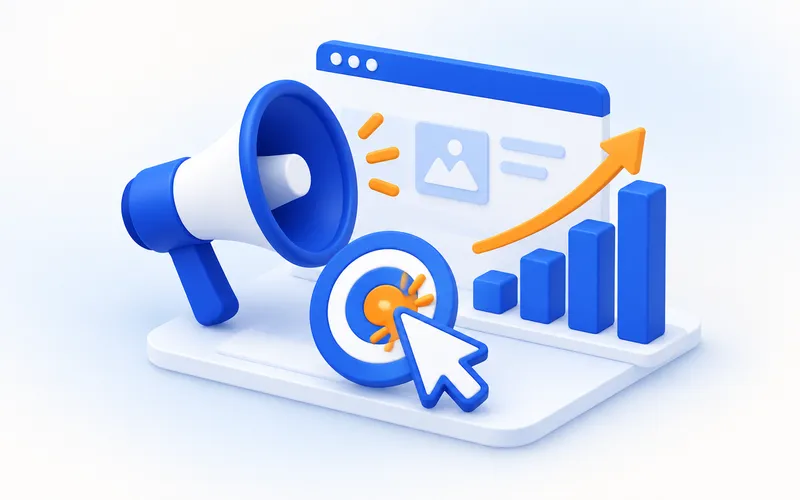
What is Google Ads in the Business Suite?
Ads brings your Google Ads account into the suite in plain words: what you spent, which searches brought calls and which spend was wasted. It also covers Local Services Ads leads, and shows whether Facebook and LinkedIn are connected.
It can make changes too, but never by surprise: every change is checked with Google first, needs you to tick that you understand, and is logged under your name. Campaigns you create start paused.
What can Google Ads do?
Google Ads is an add-on you switch on when your business needs it; the cost is shown before anything is added. These are its main features.
- Overview. Spend, clicks, conversions and cost per conversion for a date range you choose, by campaign, device, location and hour, with top search terms and impression share.
- Wasted spend and findings. Searches that spent money with no conversion, with an Add as negative button, plus checks on your conversion tracking and quality score.
- Manage. Pause or enable campaigns, change daily budgets and add negative keywords. Each change is previewed, checked with Google and logged.
- Create a campaign. Build a Google Search campaign with ads and keywords. Nothing is made until you confirm, and it is created paused so it spends nothing until you press Enable.
- Local Services leads inbox. Every Local Services lead with its status and charge, and a reply box that sends your exact words to the customer.
- Ads and Housecall Pro. Tells Google Ads which ad clicks became paid jobs, with each job's value, so Google can bid for jobs instead of phone taps.
- Landing pages, conversions and history. A page for each service you advertise, the conversions Google counts, and a history of every change made.
How do you start with Google Ads?
Open it from your suite's menu and follow these steps.
- Connect Google Ads in Connections, signing in with your own Google account. The Ads page appears once it is connected.
- Open Ads and read the Overview for the date range you want.
- To change something, open Manage, choose the action, press Check with Google, tick the box and press Make this change.
- To report real jobs, turn on the Housecall Pro conversions and preview the first upload before confirming it.
What does Google Ads work with?
It reads from and writes to the same connected systems as the rest of your suite, so nothing has to be typed twice.
- Website (captures the Google click ID on leads)
| Connected system | Where it fits |
|---|---|
 Google Ads | Google Ads |
 Google Local Services Ads | Google Local Services Ads |
 Housecall Pro | Housecall Pro (job conversions) |
 Facebook Ads | Facebook Ads and LinkedIn Ads (connection status; reporting is coming) |
 LinkedIn Ads | Facebook Ads and LinkedIn Ads (connection status; reporting is coming) |
 Claude | Claude, through your suite's connector |
Who is Google Ads for?
Businesses running Google, Local Services, Facebook or LinkedIn ads.
- Home service businesses paying for Google clicks
- Owners who want to know which searches are wasting money
- Teams that want ad changes confirmed and logged
People need the See the Google Ads dashboard permission. Changing campaigns needs the Manage Google Ads permission on top. The workspace admin has both.
Frequently asked questions
What does it cost and who is charged?
Every user pays the platform fee for access to the platform; each app is its own per-user price on top of it, and each user can choose one app to include free in their platform fee. The Pricing and access section above shows this app's price for your suite. View-only users are always free. Your ad spend itself is paid to Google, not to us.
Who can see and change it?
People with the Google Ads dashboard permission can look. Only people with the Manage Google Ads permission can pause, enable, change budgets or add negative keywords.
What data does it keep?
Answers from Google are kept for about 15 minutes to stay within Google's limits, the history of changes made here, and for the Housecall Pro feature only hashed emails and phone numbers, never the raw ones.
What happens if I turn it off?
Ads follows its Google Ads connection, so it cannot be uninstalled here. Removing the connection hides the page. Your campaigns in Google are not touched.
Can a view-only user use it?
Yes. A person with only the dashboard permission can look and is free. Making changes needs the manage permission.
Is Google Ads included in the Business Suite?
Google Ads is an add-on. You switch it on when you need it, it is priced per user, and the cost is shown before anything is added.
Can I try the Business Suite first?
Yes. The suite is free for 14 days with no credit card. You answer a few questions about your business so we can set it up around it, and if you do nothing, nothing is charged.
Want help choosing?
Start the free trial or book a call, and we will tell you plainly which apps fit your business and which do not. See our Business Suite guides and services, and the Business Suite overview.